Answers first, from your own pages
The assistant answers from what your website actually says and links to the page it used. When your pages have nothing to go on, it offers a person instead of guessing.
Zinn® Chat
A chat box for any website. It answers visitors from your own pages, hands the conversation to you when a person is needed, and emails you anything nobody picked up. The core is free, and Premium is included at no extra cost when you host with us.
Zinn® Chat puts a small launcher in the corner of your website. A visitor opens it, asks a question and gets an answer in seconds — from the assistant when your pages already say, and from you when they do not. Every conversation, from every site you run, arrives in one inbox in your Zinn Digital® dashboard.
It is sold on its own, so you do not need to host anything with us to use it: install the WordPress plugin, or paste one line of code into any other website. If you do host with us, Premium is already switched on for your account.
Everything a small team needs to answer the people already on its website, without a second tool to learn.
The assistant answers from what your website actually says and links to the page it used. When your pages have nothing to go on, it offers a person instead of guessing.
When the assistant cannot help, or the visitor asks for a person, the conversation is handed to you. As soon as you reply, the assistant steps back.
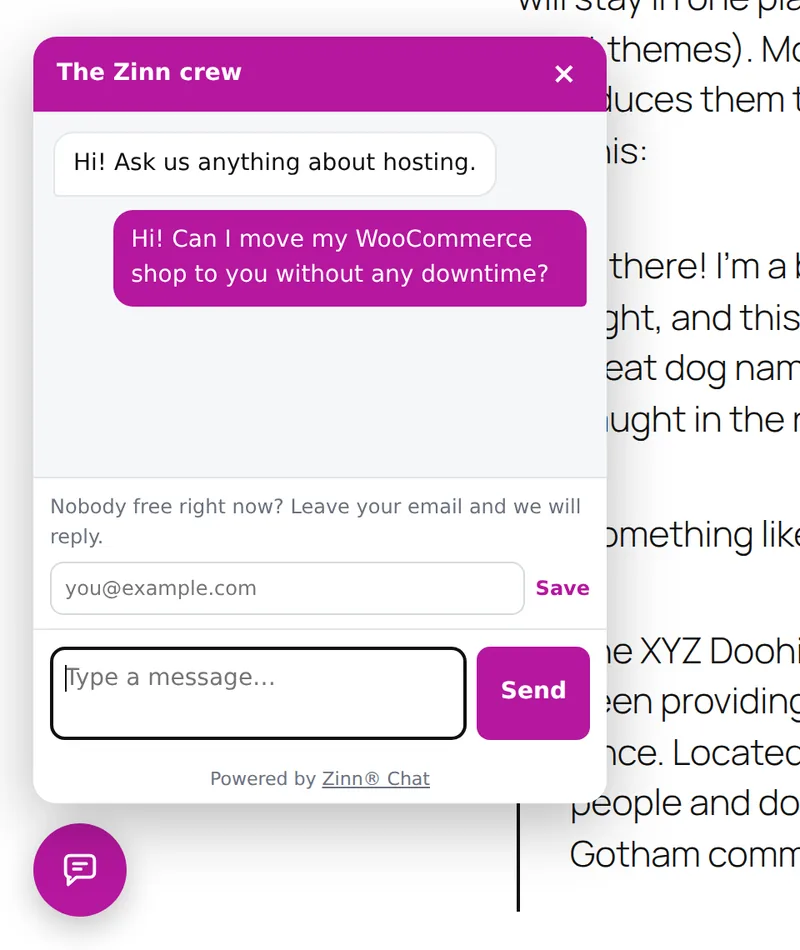
When nobody is there, the visitor can leave an email address, and the whole conversation is emailed to you so you can reply later.
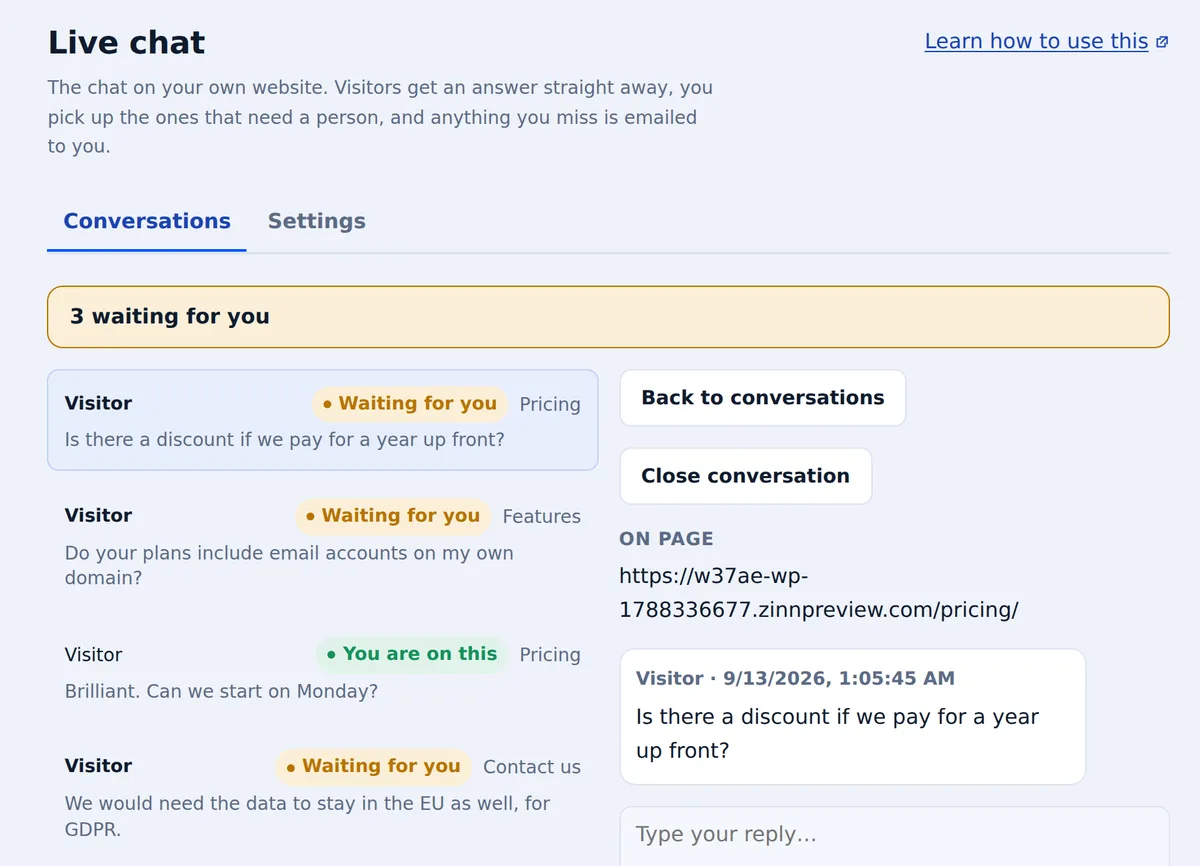
Conversations from all your websites land in one place in your dashboard, showing which page each visitor was on when they asked.
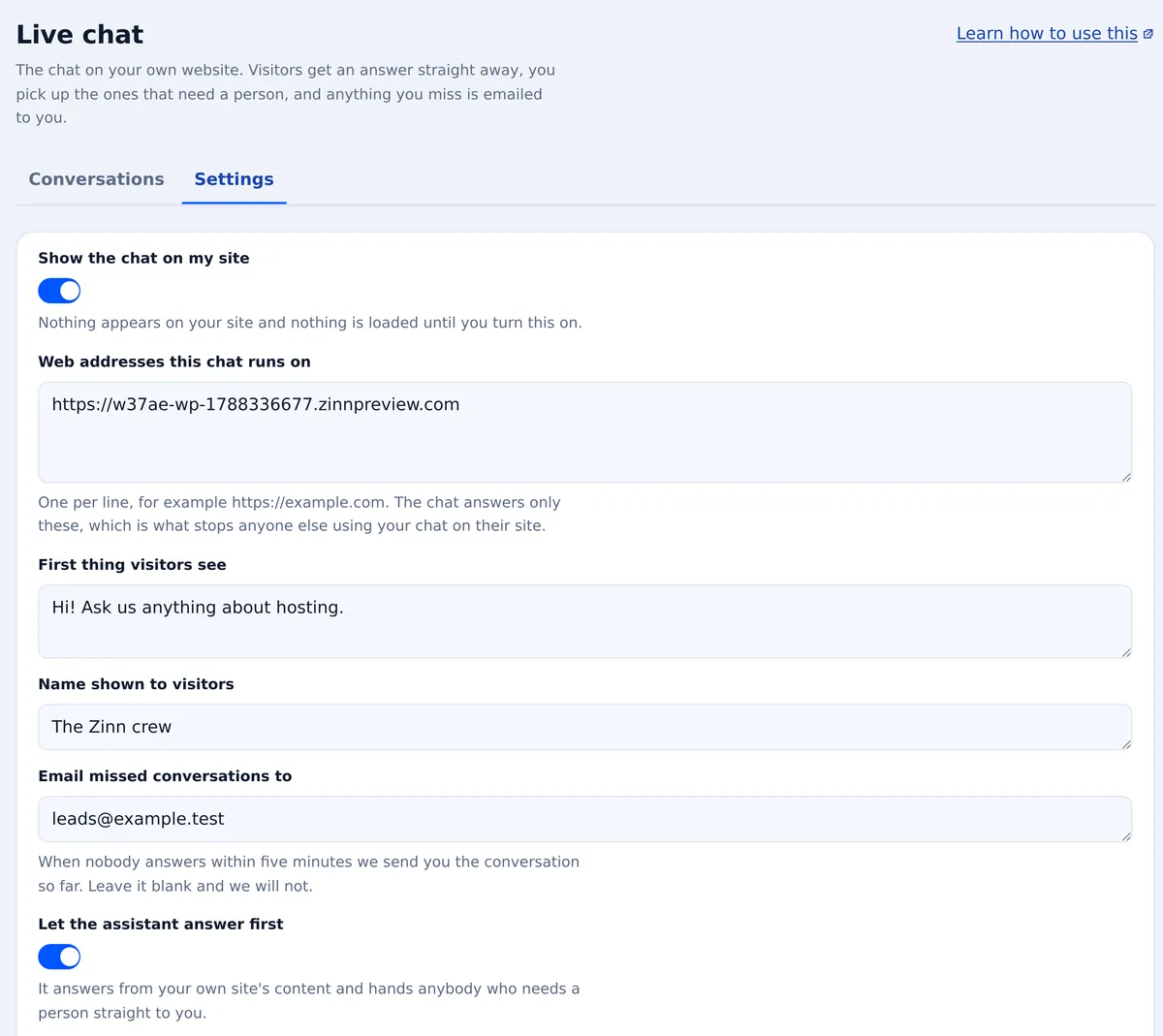
Choose the colour, the corner it sits in, the name your visitors see and the first thing it says. On pages written right to left, it mirrors to suit them.
Set the days and hours you answer, in your own time zone. Outside them, visitors can leave their email address so you can reply when you are back.
These are screenshots of the live product, not drawings of it.
Every conversation, what the visitor asked and the page they were on, and who is waiting for an answer.

A small chat window in your colours, on your own website. When nobody is free, it asks for an email address so you can reply later.

Switch it on, set the greeting, the colour, the corner and your opening hours.

Most chat widgets add hundreds of kilobytes to every page, whether anybody opens them or not. This one was written to cost as close to nothing as a chat box can.
One small file, compressed, with no framework, no web fonts and no tracking. Measured from the exact file we serve.
It waits until the browser has finished drawing your page, so it cannot hold up what your visitor came to see.
The launcher floats above your content, so nothing on your page moves when it appears.
Its styles live in a sealed box of their own, so your theme cannot break it and it cannot restyle your theme.
It takes a few minutes, and nothing about your hosting has to change.
Sign up free, open Live chat in your dashboard, and add the web addresses the chat will run on.
On WordPress, install the free Zinn® Chat plugin and paste in your chat key. On any other website, paste one line of code before the closing body tag.
Conversations arrive in your inbox as they happen, and anything you miss is emailed to you.
Start free with no card. Upgrade a site to Premium when it needs more — or host it with us and Premium is included.
Free
The chat, the inbox, missed chats by email and the assistant, on any website, for as long as you like.
$19.00/month
Premium is priced per website, per month. If you have an active Zinn Digital® hosting plan, every chat on your account gets Premium at no extra cost, for as long as the plan stays active.
| What you get | Free | Premium |
|---|---|---|
| Assistant answers each month, per site | 100 | 5,000 |
| How long conversations are kept | 30 days | For as long as you keep them |
| Remove “Powered by Zinn® Chat” | No | Yes |
Everything else on this page comes with both.
We host websites for a living, so we measure what every script costs a page. The chat widgets people were putting on the sites we host were among the heaviest things on them, and they were loading for every visitor, including the ones who never opened a chat. So we wrote one that does not.
A website that answers its visitors keeps them, and a customer whose site keeps its visitors stays with us. That is why Premium is included with our hosting rather than sold on top of it.
No. Zinn® Chat works on any website. Create a free account, then install the WordPress plugin or paste one line of code into your site. Hosting with us only changes the price: Premium is included.
Premium gives each site many more assistant answers a month, keeps conversations for as long as you want them, and lets you remove the “Powered by Zinn® Chat” line. The table above shows the exact figures.
It answers from your own website's pages and links to the page it used. When your pages do not answer the question, it offers the visitor a person instead of guessing.
The chat keeps working. New questions go straight to you instead of to the assistant until the month resets, and you can upgrade the site to Premium at any time.
It is built not to. The file is a few kilobytes compressed, it loads only after your page has finished drawing, and it cannot cause your layout to shift.
The visitor can leave an email address, and the conversation is emailed to the address you choose, so you can reply when you are back. You can also set opening hours, so the chat knows when your team is away.
Yes. The free Zinn® Chat plugin adds the chat to your WordPress site — install it, paste in your chat key and switch it on. There is nothing to edit in your theme.
Per website, per month, from your Zinn Digital® account. Accounts with an active Zinn Digital® hosting plan get Premium on every chat automatically and are not charged for it.
Step-by-step guides from our knowledge base, written for exactly this.
Where your visitors' conversations arrive, how to answer them, and what happens when nobody is there.
Read the guide →Live chat on your own site: pasting the key, switching it on, and what your visitors' browsers actually download.
Read the guide →Create a free account, add your website and start answering visitors in a few minutes.
Start free