
Zinn® Translate
Your WordPress site in every language, without a single duplicate post
Zinn® Translate swaps the words in as each page renders, gives every language its own address, and handles hreflang, sitemaps and the switcher. Deactivate it and your site is exactly as it was.
Built for speed and SEO. Zinn® Translate adds 0 kB and 0 third-party requests to a page. Measured, not claimed. See the numbers →
Built for speed and SEO
Page speed affects where Google ranks a page and how many visitors stay on it. So instead of telling you Zinn® Translate is light, we installed it on a clean WordPress test site and measured what it adds to a page.
- 0 kBadded to the page: everything a visitor's browser downloads
- 0requests to other companies' servers
- 100 → 100Lighthouse performance score on phones, without the plugin → with it
- 91 → 91Lighthouse SEO score, without the plugin → with it
Measured on 2026-10-01: Zinn Translate 2.4.1 on a clean WordPress test site, using Lighthouse's test for phones, run 5 times and taking the middle result. Page weight counts everything a visitor's browser downloads within 15 seconds, including after a scroll. Every result, and how we measured it
Why people choose Zinn® Translate
No duplicate content
No shadow posts and no parallel site to keep in step. Translations are stored in one table and applied while the page renders.
Ranks in every language
Translated slugs, reciprocal hreflang, the right lang and dir, its own sitemaps and llms.txt per language, alongside your SEO plugin.
Never slower
Translations are read from your own database, so a slow translation provider can never make a visitor wait.
Everything about Zinn® Translate, on its own site
Guides, the full documentation and the latest news are on zinntranslate.com.
What Zinn® Translate does
Your site is translated by Zinn Digital®. This plugin is what shows those translations to your visitors. Each language gets its own web address — /fr/about/ alongside /about/ — and the right hreflang tags, so search engines index every version instead of treating them as duplicates of one another.
Why it matters
Translating a site is the easy half. The half that decides whether it earns anything is whether Google can index each language separately, and that needs a real URL per language and correct hreflang between them — not a cookie, not a query parameter, and not JavaScript that swaps the text after the page has loaded. A translated site served on one URL is one page in the index, however many languages it holds.
What is in it
Everything Zinn® Translate does, listed from the plugin itself, so this page changes when the plugin does.
Translation
- No duplicated postsTranslations are applied while the page renders, so deactivating the plugin returns your site to exactly what it was.
- Your plan or your own keyTranslate on your Zinn Digital® Site Translation plan, or directly with your own Google Gemini, DeepL or OpenAI key.
- Corrections that stickEdit any translation by hand and it is never overwritten by a re-translation.
- WooCommerce productsNames, descriptions, attributes and variation descriptions, while prices, SKUs and variation values are never touched.
Multilingual SEO
- Translated URL slugs/fr/a-propos/ beside /about/, each language on its own address.
- hreflang, lang and canonicalsReciprocal hreflang with x-default, the right lang and dir, and a canonical per language, working alongside Yoast SEO, Rank Math, All in One SEO and SEOPress.
- Per-language sitemapsSitemaps with alternates for every language, announced in robots.txt.
For your visitors
- A switcher in six stylesDropdown, inline list, pills, minimal text, flags and names or a stacked list, as a shortcode, block, widget or menu item.
- Read from your own databaseNothing is fetched while a visitor waits, so a provider being slow never makes your site slow.
Zinn® Translate compared with other machine translation plugins
What each plugin's own pages said on the day we checked. A dash means we could not confirm it there, not that the feature is missing.
| Zinn® Translate | Weglot | GTranslate | |
|---|---|---|---|
| Translate with your own API key | Yes | — | — |
| Translated URL slugs | Yes | Yes1 | Partial support2 |
| No duplicated posts | Yes | — | — |
Sources, and the day we checked them
✓ yes · • partly, or only on a paid plan or add-on · ✕ no · — not confirmed on their own pages Competitor facts last checked on 2026-10-01. Something out of date? Tell us and we will correct it.
What you are downloading
The facts about the file, the requirements and how to install it.
- Version
- 2.4.10
- Minimum WordPress
- WordPress 6.6
- Minimum PHP
- PHP 8.2
- Tested up to
- WordPress 7.1
- Download size
- 1357 KB
- Released
- Licence
- GNU General Public License, version 2 or later
- Written by
- Neil Lock — CEO, Zinn Digital® Ltd
What Zinn® Translate needs
WordPress 6.6 or later and PHP 8.2 or later, and outbound HTTPS from your web server. For the translation itself, either a Zinn Digital® Site Translation plan or your own Google Gemini, DeepL or OpenAI key.
How you get Zinn® Translate
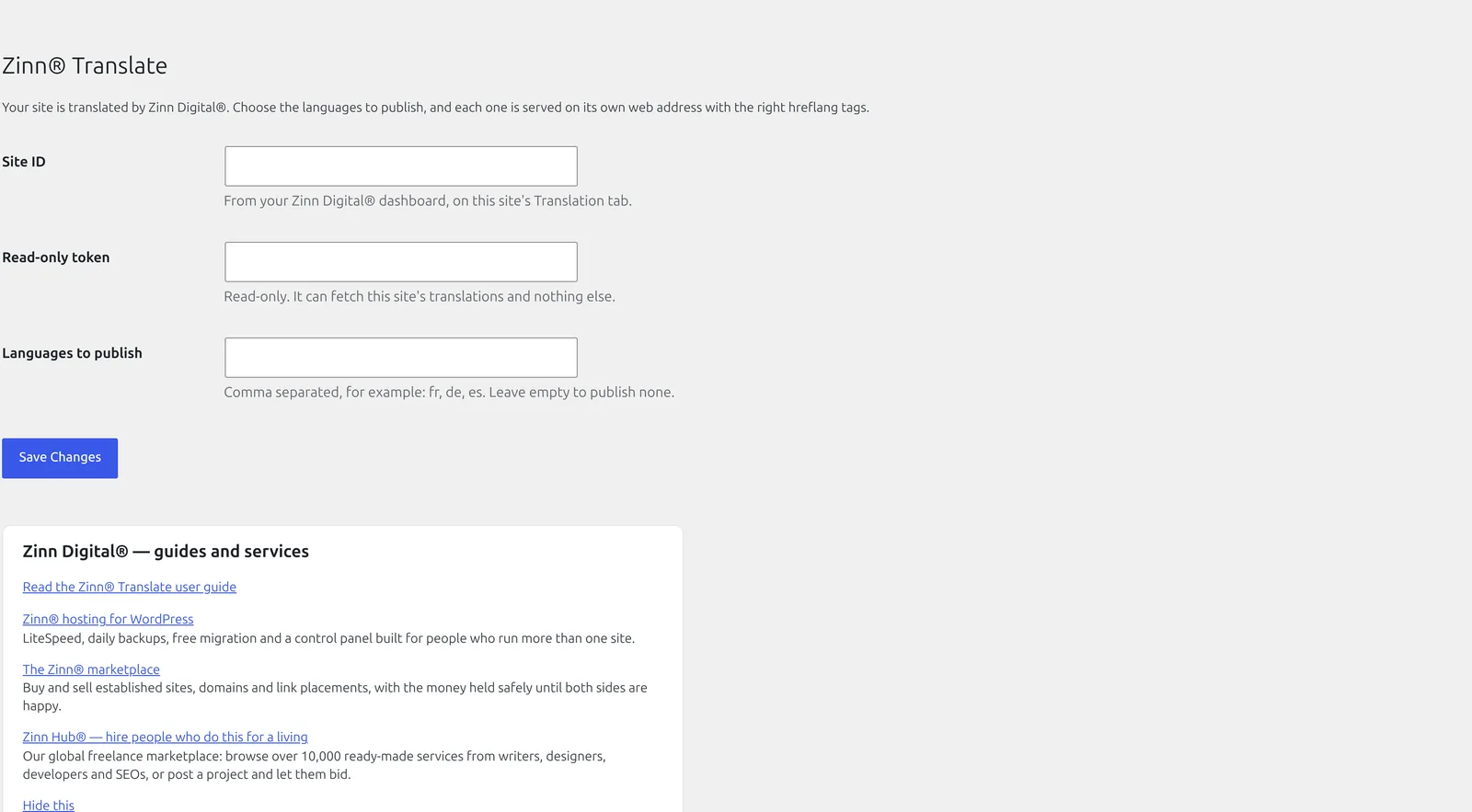
Download it here and install it on your WordPress site. Then either connect the site to your Zinn Digital® plan with its ID and token, or paste your own Gemini, DeepL or OpenAI key.
Installing it
Or install it from wp-admin: open Plugins → Add New Plugin, search for Zinn® Translate, then install and activate it.
Download the zip
Use the download button above. Keep the file as it is — do not unzip it, because WordPress expects the archive itself.
Open Plugins → Add New Plugin in wp-admin
Sign in to your site's wp-admin, open Plugins in the left-hand menu, then Add New Plugin at the top of the page.
Upload and install
Choose Upload Plugin, select the zip you just downloaded, then Install Now. WordPress unpacks it for you.
Activate it
Choose Activate Plugin when the upload finishes. The plugin's own settings then appear in wp-admin — nothing else is required to start using it.
Read the article →Source on GitHub →Every release on GitHub →
Built to WordPress.org plugin-directory standards: the WordPress Coding Standards, a security review, no PHP notices, and translation-ready in every language we sell in.
Questions about Zinn® Translate
Does it duplicate my posts?
No. There are no shadow posts and no second post type; translations are applied while the page renders.
Is translation free?
No. Machine translation costs money per word, paid either through your Zinn Digital® plan or on your own key. The plugin itself is free.
Can I correct a translation?
Yes. Every translation can be edited by hand, and an edited translation is never overwritten.
What happens if the translation service is down?
Your site is unaffected. Pages are served from translations already stored in your database, and new text is translated when the service is back.
Updates
On a site we host, these plugins are configured to update themselves: they check with us and WordPress installs the new version for you, with the download verified against its published checksum first. On a WordPress we do not host, there is nothing to configure and nothing phones home — come back to this page when you want the newest version, or watch the plugin's GitHub releases.
Need an older version?
Customers can download the newest release of each of the two previous major versions of every plugin in the Zinn Digital® app. It is there for a site that cannot run the current version yet — one still on an older WordPress or PHP — and for rolling back an update that caused a problem. When you can, install the current version.
Get Zinn® Translate working on a real site
Zinn® Translate runs on any WordPress site, wherever it is hosted. Every WordPress site we host also comes with our free plugins already installed.