
Zinn® Reseller Toolkit
Sell hosting and domains from your own WordPress site
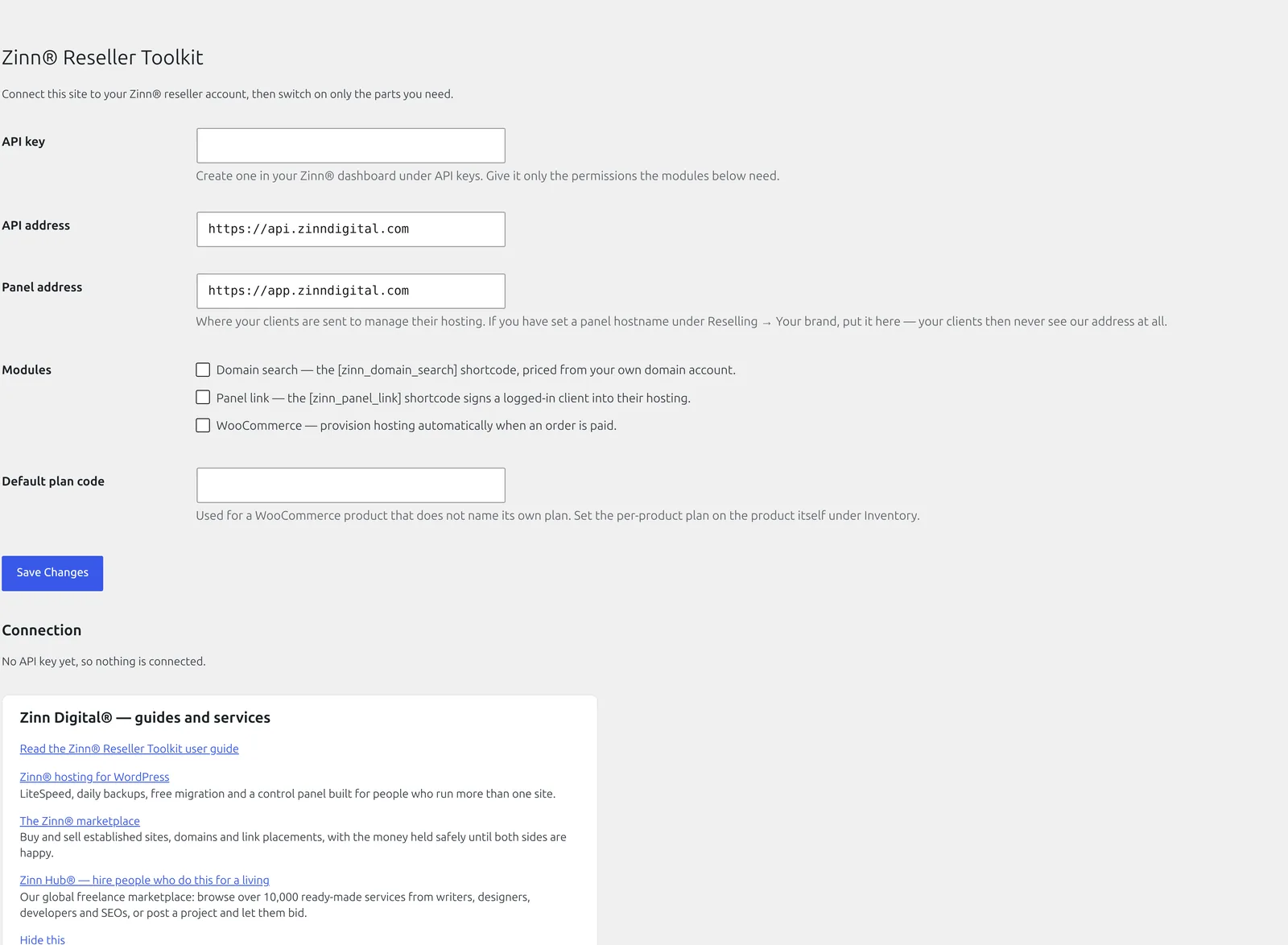
A domain search with your prices, one-click sign-in for your customers and WooCommerce orders that set up hosting the moment they are paid. Your gateway, your money, your brand.
Works with AI agents (MCP). Claude, Cursor, VS Code and other AI assistants can use 12 Zinn® Reseller Toolkit actions on your site, with your permissions. How to connect an AI app →
Built for speed and SEO. Zinn® Reseller Toolkit adds 0 kB and 0 third-party requests to a page. Measured, not claimed. See the numbers →
Built for speed and SEO
Page speed affects where Google ranks a page and how many visitors stay on it. So instead of telling you Zinn® Reseller Toolkit is light, we installed it on a clean WordPress test site and measured what it adds to a page.
- 0 kBadded to the page: everything a visitor's browser downloads
- 0requests to other companies' servers
- 100 → 100Lighthouse performance score on phones, without the plugin → with it
- 91 → 91Lighthouse SEO score, without the plugin → with it
Measured on 2026-10-01: Zinn Reseller Toolkit 1.6.1 on a clean WordPress test site, using Lighthouse's test for phones, run 5 times and taking the middle result. Page weight counts everything a visitor's browser downloads within 15 seconds, including after a scroll. Every result, and how we measured it
Why people choose Zinn® Reseller Toolkit
Your shop, your money
Sell hosting as ordinary WooCommerce products and take payment through your own gateway into your own account.
Set up the moment it is paid
Paid orders provision hosting straight away, safely: a retry or a status change can never set it up twice.
Only what you switch on
Domain search, panel sign-in and provisioning are separate switches, and a part that is off loads no code at all.
What Zinn® Reseller Toolkit does
If you resell Zinn® hosting, this plugin connects your own WordPress site to your reseller account so your customers never have to leave it. It has three parts and they are separate switches: a domain search, a one-click panel link, and WooCommerce provisioning. Whatever you switch off loads no code, registers no hook and enqueues no stylesheet.
Why it matters
A reseller's problem is not the hosting, it is the seam. Customers bounce when a domain search sends them to somebody else's site, when signing into their panel means a second password, and when a paid order has to be provisioned by hand on a Monday morning. Each of those is a place your brand stops and ours starts. This plugin closes all three on your own domain, with your own prices, through your own payment gateway.
AI agents (MCP)
Zinn® Reseller Toolkit makes your WordPress site an MCP server: Claude, Cursor, VS Code and other AI assistants can use its 12 actions with your permissions.
- 12 actions in the free edition, and 0 more with Pro.
- Connect Claude or ChatGPT by signing in to your site, or Claude Desktop, Claude Code, Cursor, VS Code and any other MCP app with a WordPress application password.
- Every action checks the same WordPress permission as the plugin's own screen, and one switch in the plugin's settings turns AI access off.
- On a site Zinn Digital® hosts, our platform's AI assistant can use the same actions for you, with no application password to create.
How to connect an AI appEvery action, its REST route and parametersMCP and API docs for developers →
What is in it
Everything Zinn® Reseller Toolkit does, listed from the plugin itself, so this page changes when the plugin does.
Selling
- Live domain searchA search that works without JavaScript, shows your prices, and says "we could not check" rather than wrongly saying a name is taken.
- WooCommerce provisioningHosting is set up when the order is paid, and a returning customer's next order lands under the same account.
- Never provisions twiceEvery call is safe to repeat, and a failure is written to the order with the reason, not hidden in a log.
Your customers
- One-click panel sign-inA link that signs your customer into their hosting panel, made when it is clicked so it never sits in a page cache.
- Payments stay with youYour customers pay you through your own gateway; their payments never go through Zinn Digital®.
- AI assistants can run your reseller accountClaude, Cursor and other MCP clients can list and create clients, put them on plans, and create, suspend and unsuspend their sites, with your WordPress permissions.
What you are downloading
The facts about the file, the requirements and how to install it.
- Version
- 1.7.19
- Minimum WordPress
- WordPress 6.6
- Minimum PHP
- PHP 8.2
- Tested up to
- WordPress 7.1
- Download size
- 1755 KB
- Released
- Licence
- GNU General Public License, version 2 or later
- Written by
- Neil Lock — CEO, Zinn Digital® Ltd
What Zinn® Reseller Toolkit needs
WordPress 6.6 or later and PHP 8.2 or later, and a Zinn Digital® reseller account. WooCommerce is needed only for the provisioning part; the domain search and the panel link work without it.
How you get Zinn® Reseller Toolkit
Install it from WordPress.org — in wp-admin, open Plugins → Add New Plugin and search for Zinn® Reseller Toolkit — then pair it with your reseller account. Turn on only the parts you are using.
Installing it
Or install it from wp-admin: open Plugins → Add New Plugin, search for Zinn® Reseller Toolkit, then install and activate it.
Download the zip
Use the download button above. Keep the file as it is — do not unzip it, because WordPress expects the archive itself.
Open Plugins → Add New Plugin in wp-admin
Sign in to your site's wp-admin, open Plugins in the left-hand menu, then Add New Plugin at the top of the page.
Upload and install
Choose Upload Plugin, select the zip you just downloaded, then Install Now. WordPress unpacks it for you.
Activate it
Choose Activate Plugin when the upload finishes. The plugin's own settings then appear in wp-admin — nothing else is required to start using it.
Read the article →Source on GitHub →Every release on GitHub →
Built to WordPress.org plugin-directory standards: the WordPress Coding Standards, a security review, no PHP notices, and translation-ready in every language we sell in.
Questions about Zinn® Reseller Toolkit
Do my customers' payments go through Zinn®?
No. They pay you through your own WooCommerce gateway, into your own account.
Can I restyle the domain search?
Yes. Its small stylesheet sets only layout and state colours, and every class can be overridden in your theme.
What happens if I deactivate the plugin?
Nothing is provisioned or cancelled. Uninstalling removes the plugin's own settings and leaves the links between your customers and their hosting alone.
Does it work on multisite?
Yes. Settings are per site.
Updates
On a site we host, these plugins are configured to update themselves: they check with us and WordPress installs the new version for you, with the download verified against its published checksum first. On a WordPress we do not host, there is nothing to configure and nothing phones home — come back to this page when you want the newest version, or watch the plugin's GitHub releases.
Need an older version?
Customers can download the newest release of each of the two previous major versions of every plugin in the Zinn Digital® app. It is there for a site that cannot run the current version yet — one still on an older WordPress or PHP — and for rolling back an update that caused a problem. When you can, install the current version.
Get Zinn® Reseller Toolkit working on a real site
Zinn® Reseller Toolkit runs on any WordPress site, wherever it is hosted. Every WordPress site we host also comes with our free plugins already installed.