
Zinn® Media Offload
Serve WordPress images from a CDN, with no storage key in WordPress
Zinn® Media Offload moves your media library to object storage and serves it from a CDN, so your web server stops sending the heaviest bytes. Your storage keys are never saved in WordPress, its database or its backups.
Built for speed and SEO. Zinn® Media Offload adds 0 kB and 0 third-party requests to a page. Measured, not claimed. See the numbers →
Built for speed and SEO
Page speed affects where Google ranks a page and how many visitors stay on it. So instead of telling you Zinn® Media Offload is light, we installed it on a clean WordPress test site and measured what it adds to a page.
- 0 kBadded to the page: everything a visitor's browser downloads
- 0requests to other companies' servers
- 100 → 100Lighthouse performance score on phones, without the plugin → with it
- 91 → 91Lighthouse SEO score, without the plugin → with it
Measured on 2026-10-01: Zinn Media Offload 1.5.0 on a clean WordPress test site, using Lighthouse's test for phones, run 5 times and taking the middle result. Page weight counts everything a visitor's browser downloads within 15 seconds, including after a scroll. Every result, and how we measured it
Why people choose Zinn® Media Offload
No key to leak
The plugin holds a token that works for this site's folder only, and asks for a one-time signed link before each upload.
Faster pages everywhere
Images and video are served from a CDN close to each visitor, with every thumbnail size and responsive srcset rewritten.
Nothing lost, ever
Local copies are removed only once every size has uploaded, nothing is deleted from storage, and switching off serving returns the original addresses.
What Zinn® Media Offload does
Images and video are usually the largest and slowest thing a WordPress site serves. This plugin moves your media library to Zinn® object storage and serves it from a CDN, so your web server stops sending the bytes. Uploads go straight from your server to storage, and existing media moves across in the background.
Why it matters
You never enter an access key, and that is the difference between this plugin and the rest of the category. Every other media-offload plugin asks you to paste an S3 key and secret into WordPress, where they sit in the options table — readable by every other plugin on the site, copied into every migration export, and included in the backup you send to a developer. A leaked pair is your entire bucket. Here the plugin holds a token scoped to this site's folder and nothing else, and you revoke it from your dashboard in one click, which is not something you can do to a leaked access key.
What is in it
Everything Zinn® Media Offload does, listed from the plugin itself, so this page changes when the plugin does.
Uploading
- No access key in WordPressA site-scoped token and one-time signed links instead of storage keys in your database and backups.
- Every thumbnail sizeThe original and every size WordPress generates is uploaded to your storage.
- Your existing library tooExisting media moves in the background, a few files at a time, picking up where it left off.
Serving
- CDN addresses and srcsetImage and file addresses, including responsive srcset, point at your CDN.
Safety
- Local copies removed safelyOptionally, once every size has uploaded; if any size fails, every local copy stays.
- Reversible in one switchTurn serving off and the addresses are exactly as WordPress wrote them.
Zinn® Media Offload compared with WP Offload Media
What the other plugin's own pages said on the day we checked. A dash means we could not confirm it there.
| Zinn® Media Offload | WP Offload Media | |
|---|---|---|
| Free version | Yes | Yes1 |
| No storage access keys saved in WordPress | Yes | No1 |
| Offloads your existing library in the free version | Yes | No1 |
Sources, and the day we checked them
✓ yes · • partly, or only on a paid plan or add-on · ✕ no · — not confirmed on their own pages Competitor facts last checked on 2026-10-01. Something out of date? Tell us and we will correct it.
See Zinn® Media Offload in action
A short screen recording on a real WordPress site. Turn on captions to follow each step in your language.
What you are downloading
The facts about the file, the requirements and how to install it.
- Version
- 1.5.6
- Minimum WordPress
- WordPress 6.6
- Minimum PHP
- PHP 8.2
- Tested up to
- WordPress 7.1
- Download size
- 995 KB
- Released
- Licence
- GNU General Public License, version 2 or later
- Written by
- Neil Lock — CEO, Zinn Digital® Ltd
What Zinn® Media Offload needs
WordPress 6.6 or later and PHP 8.2 or later. A Zinn Digital® account with object storage enabled for this site, and outbound HTTPS from your web server.
How you get Zinn® Media Offload
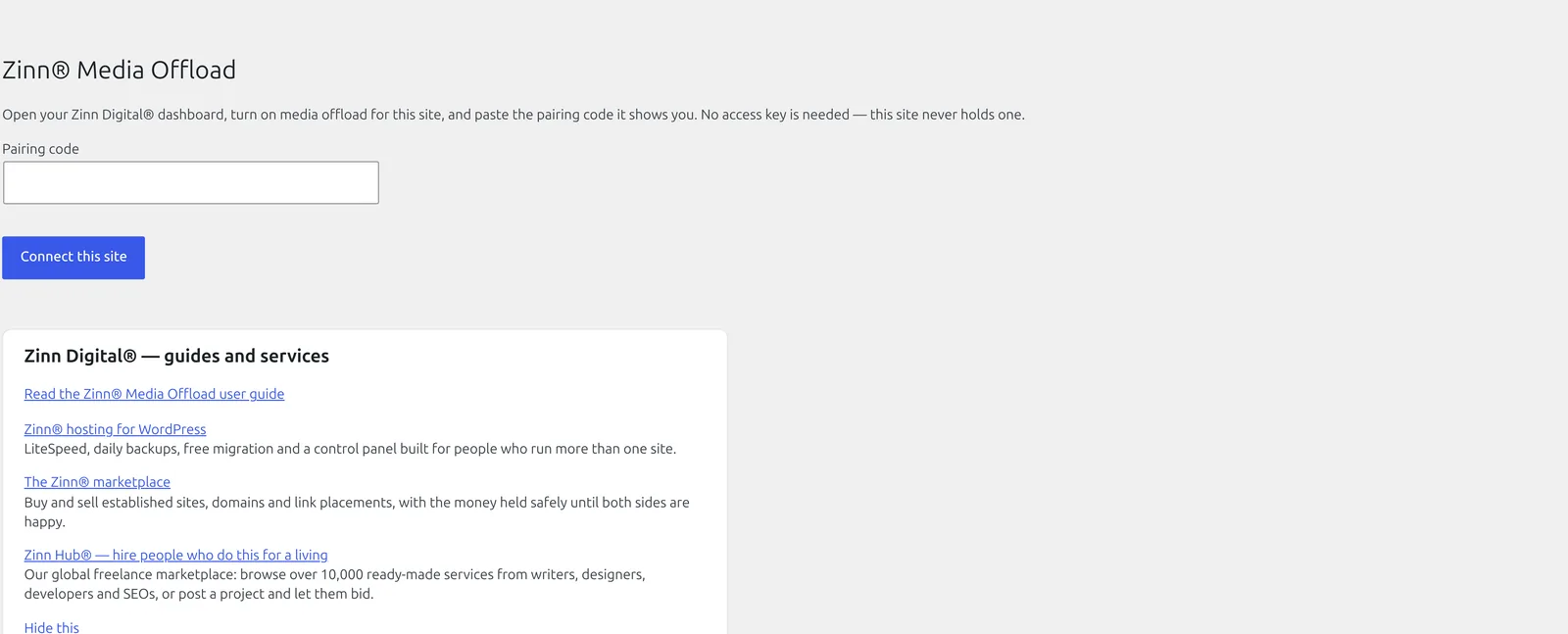
Turn media offload on in your Zinn Digital® dashboard, install this plugin from WordPress.org — in wp-admin, open Plugins → Add New Plugin and search for Zinn® Media Offload — and paste the pairing code once. Everything after that is configured from the dashboard.
Installing it
Or install it from wp-admin: open Plugins → Add New Plugin, search for Zinn® Media Offload, then install and activate it.
Download the zip
Use the download button above. Keep the file as it is — do not unzip it, because WordPress expects the archive itself.
Open Plugins → Add New Plugin in wp-admin
Sign in to your site's wp-admin, open Plugins in the left-hand menu, then Add New Plugin at the top of the page.
Upload and install
Choose Upload Plugin, select the zip you just downloaded, then Install Now. WordPress unpacks it for you.
Activate it
Choose Activate Plugin when the upload finishes. The plugin's own settings then appear in wp-admin — nothing else is required to start using it.
Read the article →Source on GitHub →Every release on GitHub →
Built to WordPress.org plugin-directory standards: the WordPress Coding Standards, a security review, no PHP notices, and translation-ready in every language we sell in.
Questions about Zinn® Media Offload
What happens to my images if I deactivate the plugin?
Media that has already moved keeps working, because it is served from the CDN and the CDN is still there. New uploads stay on your web server.
Will it delete my local files?
Only if you switch that on in your dashboard, and only for a file where every size uploaded successfully. A partial upload never removes anything.
Can I use my own bucket?
Yes. Attach your own S3-compatible bucket in your Zinn Digital® dashboard; the plugin works the same way and still never holds the key.
Does it work with responsive images?
Yes. Every size is uploaded and srcset is rewritten to the CDN.
Updates
On a site we host, these plugins are configured to update themselves: they check with us and WordPress installs the new version for you, with the download verified against its published checksum first. On a WordPress we do not host, there is nothing to configure and nothing phones home — come back to this page when you want the newest version, or watch the plugin's GitHub releases.
Need an older version?
Customers can download the newest release of each of the two previous major versions of every plugin in the Zinn Digital® app. It is there for a site that cannot run the current version yet — one still on an older WordPress or PHP — and for rolling back an update that caused a problem. When you can, install the current version.
Get Zinn® Media Offload working on a real site
Zinn® Media Offload runs on any WordPress site, wherever it is hosted. Every WordPress site we host also comes with our free plugins already installed.